
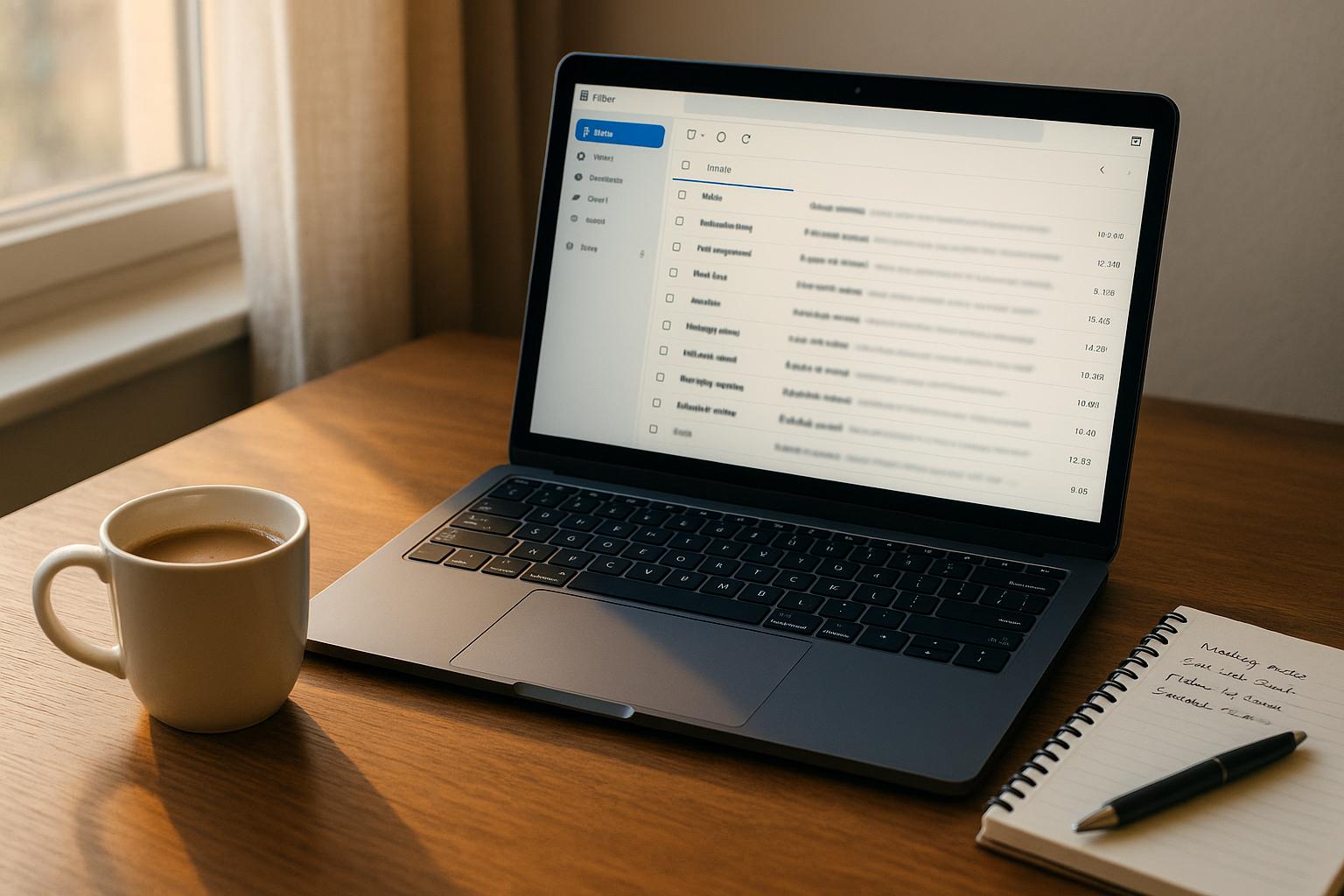
An email preheader is the snippet of text that appears next to or below the subject line in your inbox. It’s a small but important detail that can boost email open rates by up to 7–30% and improve click-through rates by 14%. Think of it as a quick preview or teaser for your email, working alongside the subject line to grab attention and spark curiosity.
Here’s why preheaders matter and how to use them effectively:
- Purpose: They provide context or urgency, complementing the subject line.
- Impact: Emails with thoughtful preheaders outperform those without, especially on mobile, where 47% of users check emails.
- Optimization: Preheaders should be concise (35–55 characters on mobile), relevant, and personalized for the best results.
To avoid common mistakes:
- Don’t leave preheaders blank or use default text like "View this email in your browser."
- Avoid cramming too much information; focus on one key message.
- Always test how preheaders display across devices and email clients.
When done right, preheaders can significantly improve your email marketing performance, making your messages stand out in crowded inboxes.
Email Preheaders – Everything you need to know
How Email Preheaders Work
Grasping how preheaders operate is essential for creating successful email campaigns. Since their appearance varies across platforms, this can directly influence the effectiveness of your message. Recognizing these differences sheds light on the vital role preheaders play in email marketing.
The Connection Between Preheaders and Subject Lines
Preheaders and subject lines work hand in hand to shape how your email appears in an inbox. When recipients scan their emails, they typically see the sender’s name first, followed by the subject line, and then the preview text. This sequence creates a natural flow that can either draw attention or lose it. Preheaders play a key role in boosting open rates by offering a quick preview of what your email contains.
Think of these elements as partners, not standalone features. The subject line grabs attention, while the preheader adds context, giving readers an extra reason to open the email.
For example, Autoplicity saw an 8% increase in open rates after strategically using preview text. Similarly, WeddingWire achieved a 30% jump in click-through rates by testing their preheader text. These examples highlight how combining a strong subject line with an effective preheader can significantly improve engagement.
However, the reverse is also true – if your preheader contradicts or merely repeats your subject line, it wastes valuable space and could confuse your audience. Email marketing expert Courtenay Worcester emphasizes this point:
"They deliver a seven percent higher open rate, on average. With nearly half of all emails opened on a mobile device, and the average inbox swelling to more than 100+ emails per day, clever pre-headers are a great way to capture your audience’s attention."
Next, let’s dive into how preheaders appear on different devices and why that matters.
How Preheaders Display on Different Devices
Building on the connection with subject lines, understanding how preheaders display across devices helps refine your email strategy. Since display settings vary by device and email client, optimizing preheaders can feel like aiming at a moving target. With 47% of regular email users checking emails on mobile devices compared to 26.9% on desktops, tailoring preheaders for different platforms is critical.
On desktop clients, more preheader text is typically visible. However, the length of your subject line directly influences how much preview text gets displayed. A longer subject line can cut into the space available for the preheader.
On mobile devices, the situation changes. Most mobile clients display preheaders in the range of 30–55 characters. Unlike desktops, longer subject lines don’t always truncate mobile preheaders, but the limited space means every character counts.
To complicate things further, email providers like Gmail, Outlook, and Yahoo each handle preheaders differently. What looks polished in Gmail might appear truncated or poorly formatted in Outlook.
If you don’t set a preheader, email clients may pull random text from your email, which can result in irrelevant or awkward content filling that space. This loss of control can hurt your email’s first impression.
The best way to avoid this is by testing your emails across multiple platforms before sending. Review your analytics to identify the most commonly used email clients among your subscribers. Then, focus your optimization efforts on those platforms. This targeted approach ensures your preheaders deliver the right message to the right audience, no matter where they’re reading.
Types of Email Preheaders
Now that we’ve covered how preheaders work, let’s dive into the different types. Each type serves a distinct purpose, helping you align your email’s preheader with your campaign goals. The trick lies in matching the style to the action you want your audience to take.
Content Summaries
Content summary preheaders offer a brief overview of your email’s content. They’re perfect for emails packed with updates or educational material that your subscribers are actively looking for.
Take Grammarly, for example. Their preheader reads: "Inside: your weekly stats +45% off Premium – make sure you’re logged into Grammarly". This short snippet does a lot. It highlights the weekly stats, teases a discount, and reminds users to log in – all in one go.
To make this approach work, stick to concise but informative messaging. On mobile, aim for 35–40 characters, and on desktop, go up to 140 to avoid being cut off. The real power of content summaries lies in their ability to help recipients quickly decide if the email is relevant. For instance, a line like "Weekly report: 3 new leads, 2 closed deals" instantly signals whether the email requires immediate attention or can wait.
Calls to Action (CTAs)
CTA preheaders are all about driving immediate action. Instead of previewing the email’s content, they tell readers exactly what to do. This style works wonders for promotions, sales, and time-sensitive offers.
For instance, Marshalls nails this approach with their festive preheader: "LUXE for fa la la la less! Gifts that’ll get you on their Nice list".
CTA preheaders often include phrases like "Shop now", "Discover more", or "Learn how." The goal is to make the action feel so tempting or urgent that readers can’t resist clicking. As Richard White, Content Marketing Manager at Omnisend, puts it:
"Email preheaders present a chance to capture the attention and curiosity of your subscribers. Tailor them to highlight value, create urgency, or tease a solution. Use a compelling message that complements your subject line, as this enhances the curiosity that drives opens."
Personalized Preheaders
Personalized preheaders take things a step further by tailoring the message to each recipient. Whether based on their preferences, past behavior, or demographics, this approach consistently leads to better open rates, click-through rates, and conversions.
The Buffalo Audubon Society demonstrates this well with their preheader: "Giving Tuesday is here! Tracy, today is Giving Tuesday! We have a goal to reach $2,500 today". By including the recipient’s name and specific details, they create a direct, personal connection.
Personalized preheaders can reference anything from past purchases to location-specific details. For example, an e-commerce store might use something like "Sarah, your favorite brand just dropped new arrivals" or "Complete your purchase – your cart expires in 2 hours."
The numbers back this up: emails with preheaders see higher open rates, and personalized ones perform even better. In fact, adding a preheader can boost open rates by up to 7.96%.
Experimenting with different preheader styles is key to finding what resonates with your audience. Some readers respond well to direct CTAs, while others prefer an informative summary. The best email marketers use A/B testing to figure out which approach works best for their campaigns. Next, we’ll dive into best practices for making the most of each preheader type.
sbb-itb-593149b
Best Practices for Writing Effective Preheaders
Preheaders play a vital role in boosting email engagement. When paired strategically with your subject line, they can significantly increase open rates. Companies running successful email campaigns have nailed the art of crafting preheaders that grab attention and spark curiosity.
Keep It Short and Clear
When it comes to preheaders, less is more. Different email clients display varying amounts of text, so it’s important to place your most important information upfront. For instance, mobile devices often show only 35–40 characters, while desktop clients may display more.
This means you have to prioritize your message. For example, “New features live: AI-powered analytics dashboard” gets straight to the point and piques curiosity.
Avoid filler words and focus on delivering essential details. If you’re promoting a sale, lead with the discount percentage. If you’re announcing news, start with the headline. This way, even if the text gets cut off, the critical message remains visible.
Match Your Subject Lines
Your subject line and preheader should work together to tell a compelling story. Think of the subject line as the attention-grabber and the preheader as the follow-up that adds context or urgency. For example, if the subject line says, “Your cart misses you,” the preheader could read, “Complete your purchase before these items sell out.” This pairing creates a sense of immediacy.
Avoid repeating the same message in both. For instance, if your subject line says, “Flash sale: 24 hours only,” don’t echo it in the preheader. Instead, add more details, like “Handbags, shoes, and accessories up to 70% off,” to give readers additional reasons to click.
Once you’ve crafted a subject-preheader combo, test different versions to find the most effective pairing.
Test and Optimize
Testing is the backbone of creating preheaders that perform. A/B testing allows you to experiment with different elements such as wording, length, tone, and personalization. Even small tweaks can lead to noticeable improvements in engagement.
For example, try testing a concise preheader against a more detailed one or compare an urgent tone to an informative one. Focus on one change at a time to get clear insights into what works best.
Regularly analyze your results and adjust your approach based on the data. Consider setting up a testing schedule – monthly or quarterly – to refine your strategies. Don’t just track open rates; monitor click-through rates and conversions to see which preheaders truly resonate with your audience.
Over time, you’ll uncover patterns. Maybe your audience responds well to preheaders with numbers, emotional language, or specific calls to action. Keep a record of what works to guide future campaigns and ensure your preheaders consistently deliver results.
Common Mistakes to Avoid
Steer clear of these frequent missteps to make your email preheaders more engaging. By identifying and addressing these issues, you can create preheaders that encourage recipients to open your emails instead of ignoring them.
Using Default or Missing Text
Relying on auto-generated preheaders is a missed opportunity. These default snippets often pull irrelevant or awkward text from the start of your email, like "View this email in your browser" or navigation links. Such content does little to entice readers to click.
The fix? Always craft a custom preheader for every email. Even a short, thoughtfully written preheader that complements your subject line will perform better than leaving it to chance. Think of your preheader as a key part of your email strategy, not an afterthought. And while you’re at it, keep your preheader concise and focused.
Including Too Much Information
Trying to cram too much into your preheader is another common mistake. Overloading it with multiple offers or lengthy details can confuse readers and dilute your message. Some marketers even treat the preheader like a mini-newsletter, which makes it harder for recipients to quickly understand the email’s purpose.
Instead, focus on one clear and compelling message. For example, if you’re promoting a sale, highlight the discount or a standout product, and save the finer details for the body of the email. Simplicity is key, especially when it comes to mobile users.
Skipping Mobile Optimization
Optimizing your preheaders for mobile devices is critical. With over 60% of email opens happening on mobile, emails that aren’t mobile-friendly risk being deleted in seconds. In fact, studies show that 70% of users will discard emails with poorly optimized preheaders in under three seconds.
Mobile screens display much less text compared to desktop clients, so it’s crucial to put your most important information right at the start of your preheader.
"With over 60% of email opens happening on mobile devices, designing emails that are optimized for smartphones and tablets has become essential for any successful email marketing strategy." – Data-Dynamix
Aim for a preheader length of about 40 to 75 characters to ensure readability on mobile devices. Testing your emails across different devices is also a must to ensure they look great everywhere.
In March 2025, Data-Dynamix highlighted the benefits of mobile optimization, noting that it boosts open rates, click-through rates, and conversions while reducing bounce rates. They also stressed that businesses prioritizing mobile-first email design will gain a competitive edge as mobile usage continues to grow.
Conclusion
Email preheaders act as a powerful companion to your subject line, shaping first impressions and driving better open rates. In fact, emails with well-crafted preheaders can see a 7.96% higher open rate, achieve click-through rates of 3.3% compared to 2.2%, and boast an overall open rate of 22.3% versus 19.3% for emails without preheaders.
"At Rejoiner, we often refer to preheader text as the second subject line." – Mike Arsenault, Founder & CEO, Rejoiner
Key Points Summary
Your preheader text should work hand-in-hand with your subject line for maximum impact. Rather than repeating the subject line, aim to complement it, offering additional context or intrigue. Stick to a length of 40 to 130 characters to ensure proper display across both desktop and mobile platforms.
Personalization goes a long way. Including the recipient’s name or referencing their previous interactions can make your email stand out. Don’t forget to A/B test your preheaders to find the version that resonates most with your audience.
Steer clear of common mistakes like relying on auto-generated text, overloading your preheader with too much information, or neglecting mobile optimization. With 47% of email users regularly checking their inbox on mobile devices, ensuring your preheader is mobile-friendly is a must. Make sure the most important content appears at the beginning to grab attention quickly.
When used effectively, email preheaders are a simple yet impactful way to boost engagement and improve the clarity of your email campaigns in a crowded inbox.
FAQs
How can I make sure my email preheader text displays properly on all devices and email clients?
When crafting your email preheader text, aim for brevity – stick to 30 to 80 characters. This length ensures it displays well on both desktop and mobile devices, maximizing visibility.
Before hitting send, always preview your email using testing tools. These tools let you see how the preheader appears across different email clients, helping you spot and resolve any formatting issues ahead of time.
What are some examples of effective email preheaders to boost engagement and clicks?
Effective email preheaders catch the reader’s eye and pique their interest, all while staying closely tied to the email’s content. For example:
- "Your exclusive discount ends tonight!"
- "Ready to transform your weekend plans?"
- "We’ve got something special just for you."
Want to boost engagement? Try incorporating personalization, asking an intriguing question, or sprinkling in emojis for a touch of visual flair. A thoughtfully written preheader can make your email shine in crowded inboxes and motivate recipients to open and explore.
How does personalizing email preheaders affect open rates and email marketing success?
Personalizing email preheaders can greatly influence open rates and the overall effectiveness of your email marketing efforts. Studies reveal that personalized preheaders can increase open rates by up to 30%, as they grab the recipient’s attention with details that feel relevant and engaging.
Beyond improving open rates, tailored preheaders can also lead to stronger click-through and conversion rates. Crafting preheaders that connect with your audience not only boosts engagement but also helps drive more meaningful outcomes for your email campaigns.
